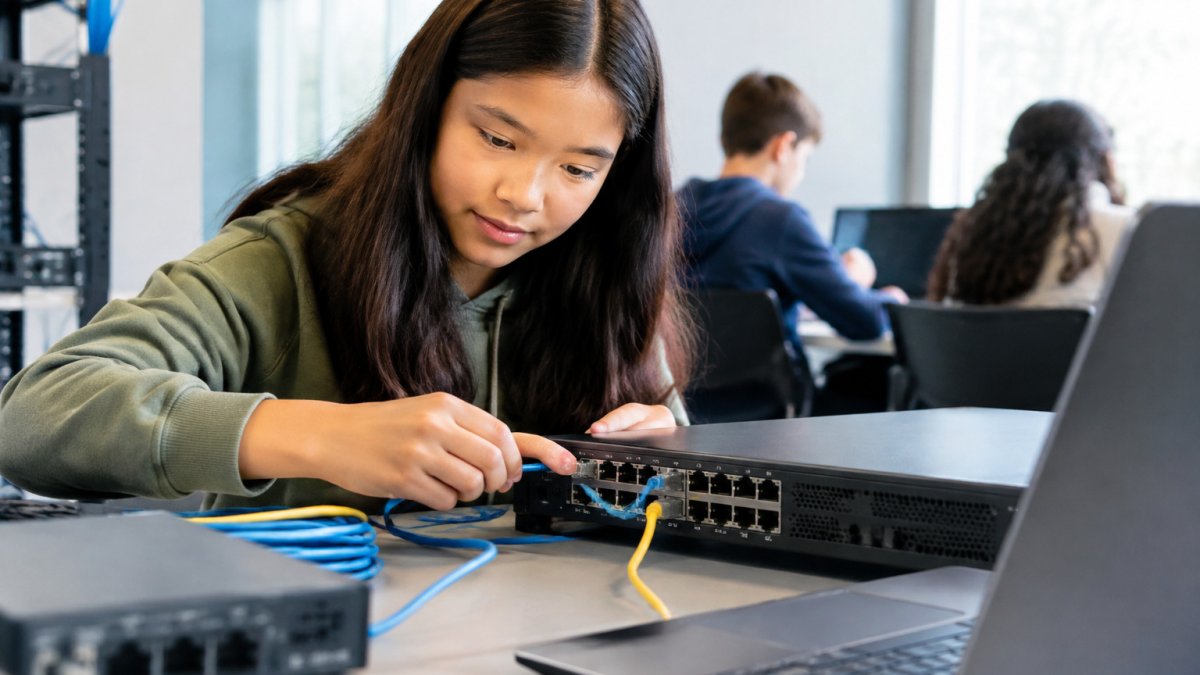
Gain practical networking experience with simulators, home labs, and beginner projects. Learn how to set up your own lab and practice real configurations.
Last Updated: November 8, 2026
Quick Summary
The fastest way to gain hands-on networking experience is to start in a free simulator like Cisco Packet Tracer, then move to a home lab with used routers and a managed switch. Build three or four documented projects that show a topology, configuration commands, and validation output.
- Work through three Packet Tracer labs in order: two PCs and a switch, two subnets with one router, then VLANs and trunking.
- Log every command you type, and configure the same topology three ways until commands feel automatic.
- Console into each device first and cable the topology on paper before connecting anything.
- Keep lab gear on an isolated segment, and practice only on equipment you own or have written permission to configure.
- Document each project with a goal, diagram, config commands, validation output, and a troubleshooting paragraph.
Table of Contents
- Start with Cisco Packet Tracer Before You Touch Real Gear
- How to Gain Hands-On Networking Experience Online
- Build a Home Lab with Real Equipment
- Network Engineering Projects for Beginners
- How to Get Into Networking and Turn Lab Work Into a Job
- Book a Free Strategy Call and Map Your Lab Plan
- Frequently Asked Questions
Start with Cisco Packet Tracer Before You Touch Real Gear
The fastest way to gain hands-on networking experience is to start in a simulator, not on hardware. Cisco Packet Tracer is free, runs on a laptop, and lets you build a working network today.
Packet Tracer lets you build topologies, configure routers and switches, and watch packet flow without spending a dollar.
Your First Three Packet Tracer Labs
Work through these in order; each builds on the last.
- Two PCs and a switch. Set IP addresses in the same subnet and ping between hosts. Goal: see a successful ping.
- Two subnets, one router. Add a router, assign interfaces, and route traffic between LANs. Goal: ping across subnets.
- VLANs and trunking. Split one switch into two VLANs and pass traffic over a trunk. Goal: hosts in the same VLAN talk, hosts in different VLANs don't.
Log every command you type. That habit pays off later.
How to Gain Hands-On Networking Experience Online
You can gain hands-on networking experience online without owning a single cable. Virtual labs and emulators give you real command-line practice on real network operating systems, the cheapest path for career changers and full-time workers.
The key is repetition. Configure the same topology three ways until the commands feel automatic.
Free and Low-Cost Virtual Lab Options
- Cisco Packet Tracer free with Cisco Networking Academy signup
- GNS3 free and open source, runs real router images
- EVE-NG community edition for larger topologies
If you want structure around that practice, our self-paced IT training pairs flexible study with hands-on lab work.
Cisco Networking Academy Packet Tracer resources
Build a Home Lab with Real Equipment
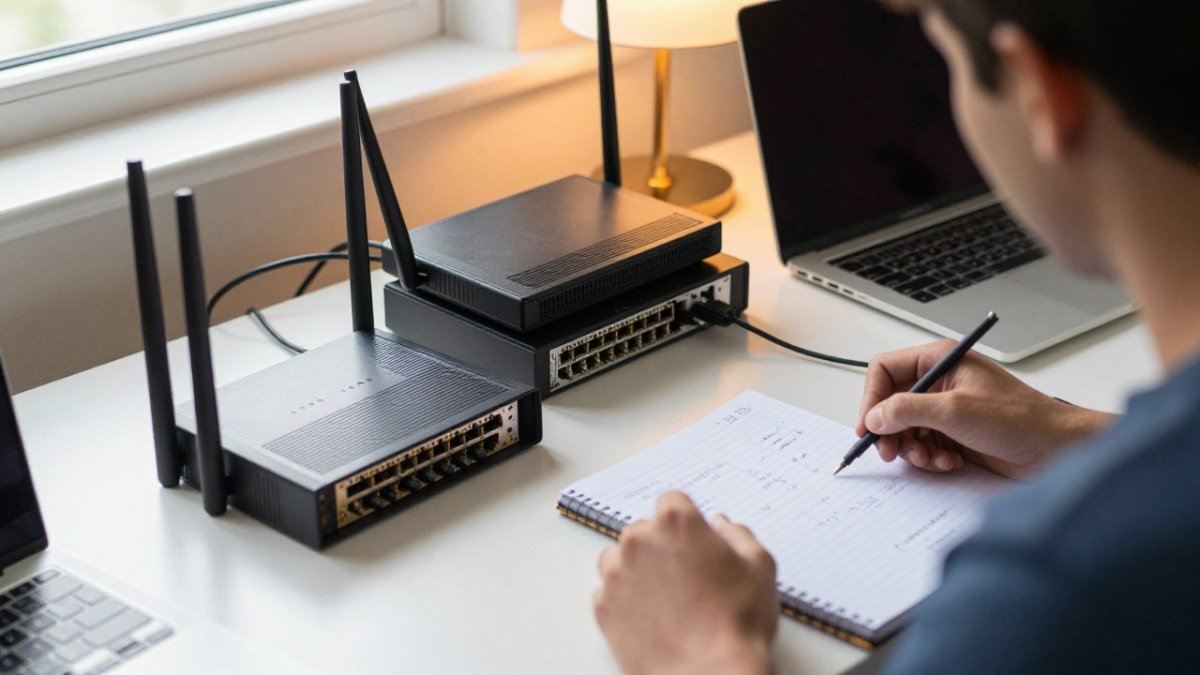
A home lab turns simulator knowledge into physical confidence. Used enterprise gear is widely available and can work well for practice. Two routers and a switch get you started, and the whole setup fits on a single desk with a power strip.
The man is American.
A Low-Cost Shopping List for Beginners
| Item | Why You Need It | Buying Tip |
|---|---|---|
| Two routers | Practice routing and WAN links | Buy used, same model |
| One managed switch | VLANs and trunking | Check it supports VLANs |
| Console cable | Direct device access | USB version saves hassle |
| Ethernet cables | Connect devices | A handful of short ones |
| Power strip | Keep it tidy | Surge protection helps |
Watch out: mismatched models make troubleshooting confusing. Stick to one model family so command syntax and features match across devices.
Set Up the Lab in the Right Order
- Console in first. Connect your laptop to each device with the console cable and confirm you can reach the command line before cabling anything together.
- Cable the topology on paper first. Draw the links, label the interfaces, then connect cables, this prevents plugging into the wrong port and chasing a phantom fault.
- Configure one device at a time. Bring up the first router, verify its interfaces, then the second, then the switch.
- Save configurations. Copy running config to startup config on every device so a power cycle doesn't erase your work.
Isolate the Lab and Practice Safely
A home lab is a test network, and it should stay one. Keep lab devices on their own isolated segment or a separate switch not bridged to your home network.
Practice only on equipment you own or have explicit written permission to configure.
Watch out: a lab device with a default configuration and a live uplink can hand out addresses or route traffic onto your home network. Isolate first, configure second.
Realistic Cost and Space Trade-Offs
Used enterprise routers and switches are widely available on the secondary market, and prices vary by model, age, and condition, check current listings rather than budgeting from a fixed number. If space or noise is a constraint, a virtual or cloud-based lab is a reasonable substitute; the skills transfer, and you can add physical gear later.
To see the structured path we teach, explore our network engineering program.
Network Engineering Projects for Beginners
Projects prove you can do the work, not just talk about it. The difference between a hobbyist and a hireable candidate is the ability to describe a topology, the goal, the commands, and how success was verified. Build three or four projects and document each one at that level. These network engineering projects for beginners mirror real junior administrator tasks, each with a topology, configuration goals, validation commands, and success criteria.
Project 1: Small Office Network
Topology: One router with two LAN interfaces, two switches (one per LAN), two PCs per switch, and a DHCP pool on each LAN.
Configuration goals:
- Assign the router interfaces as the default gateways for each subnet.
- Configure a DHCP pool per LAN with a DNS server and a reserved range for static devices.
- Verify end-to-end reachability between hosts on different subnets.
Validation commands: show ip interface brief, show ip dhcp binding, ping, and traceroute between hosts on opposite LANs.
Success criteria: Every host receives an address from the correct pool, pings its own gateway, and reaches a host on the other subnet in two hops or fewer. A host getting an address from the wrong pool points to a helper-address or interface-assignment error, find it before moving on.
Project 2: VLAN Segmentation for Voice and Data
Topology: One managed switch, one router (or a Layer 3 switch), two access ports in a data VLAN, two access ports in a voice VLAN, and an 802.1Q trunk between the switch and the router.
Configuration goals:
- Create two VLANs and assign access ports correctly.
- Configure the trunk to carry both VLANs with native VLAN set explicitly.
- Configure inter-VLAN routing with one subinterface per VLAN.
Validation commands: show vlan brief, show interfaces trunk, show ip route, and pings between a data host and a voice host.
Success criteria: Hosts in the same VLAN communicate; hosts in different VLANs communicate only through the router; the trunk shows both VLANs active and the native VLAN matches on both ends.
Project 3: Firewall Rules That Block and Allow
Topology: A router, a firewall (a physical appliance, a virtual firewall, or a router with an access control list acting as the filter), an inside host, and an outside host.
Configuration goals:
- Permit inside-to-outside web traffic only.
- Deny all other outbound traffic from the inside host.
- Permit return traffic for established sessions.
Validation commands: show access-lists or the firewall's rule-hit counters, plus ping and a browser or curl test from the inside host to the outside host.
Success criteria: The permitted traffic succeeds, the denied traffic fails, and the rule counters show the deny rule incrementing.
Project 4: Break-It-Then-Fix-It Troubleshooting Drill
Topology: Reuse Project 1 or 2. Introduce one fault at a time: a wrong subnet mask, a shut-down interface, a missing default route, a duplicate IP, or a misconfigured trunk.
Configuration goals: Do not look at your notes. Diagnose from symptoms only.
Validation commands: show ip interface brief, show ip route, show interfaces, show cdp neighbors, and ping/traceroute to isolate the fault.
Success criteria: You identify the fault, restore connectivity, and can explain the packet flow that failed and why.
Cisco documentation on VLAN configuration
How to Document Each Project for Your Portfolio
For every project, record five things: the goal, a topology diagram, the configuration commands, the validation output proving success, and one paragraph on what went wrong and how you fixed it. Save the configuration files themselves, a reviewer who can open your running config and compare it to your write-up sees evidence, not claims.
A simple portfolio structure works: one folder per project, each containing a README with the goal and success criteria, a diagram, the config files, and a short troubleshooting log. Our guide on turning certification into employment shows how to shape these notes into a portfolio.
How to Get Into Networking and Turn Lab Work Into a Job
Getting into networking comes down to proof. Employers want to see that you can configure and troubleshoot, not just pass a test.
Start with a certification path like CompTIA A+ or CCNA. Pair it with real practice.
CompTIA certification pathways
If you've built lab skills and want real-world reps, our Network Engineer Experience Week bridges the gap between practice and the job.
Book a Free Strategy Call and Map Your Lab Plan
The biggest mistake is practicing without a plan. Random labs build random skills.
For extra direction, explore career books by Isaac Danso-Gyan on practical IT growth.
Get started with Network Engineering & Firewall Engineering Training to build hands-on networking skills.
Ready to stop guessing and start building? A short call can map your lab plan from day one to job-ready.
Frequently Asked Questions
Can I practice networking online without buying equipment?
Yes. Cisco Packet Tracer is free and covers routing, switching, VLANs, and basic troubleshooting. GNS3 and EVE-NG run real device images on your computer, so command-line practice feels close to production gear. Start with Packet Tracer for fundamentals, then move to an emulator once you can configure interfaces, static routes, and VLANs without looking up every command. Online labs let you build networking experience before you spend anything on hardware.
How long does it take to gain practical networking skills?
Most beginners who practice consistently for a few hours a week can configure and troubleshoot a small lab network within two to three months. Reaching interview confidence usually takes longer, often six to twelve months, depending on how many projects you finish and how often you break and fix your own setups. Structured mentorship shortens the loop because someone reviews your configurations and points out gaps you would miss alone.
What projects can I add to a networking portfolio?
Build a small LAN with two switches and a router, then add VLANs and inter-VLAN routing. Next, set up a site-to-site VPN between two routers, add a firewall with access control lists, and document a troubleshooting scenario where you intentionally break connectivity and restore it. For each project, save your topology diagram, configuration files, and a short write-up of what failed and how you fixed it. That record shows employers you can do the work, not just describe it.
How can I get networking experience without a job?
Volunteer to help a nonprofit or small business with basic network setup, join a local tech meetup, and offer to assist with cable runs or device inventory. Build a home lab and treat it like a production environment: change windows, backups, and incident notes. Pair that practice with certification study and a mentor who can review your work. Hands-on networking experience counts even when it is unpaid, as long as you can explain what you configured and why.